
Payment
Choose a currency and a payment method, pay, then send the confirmation form.
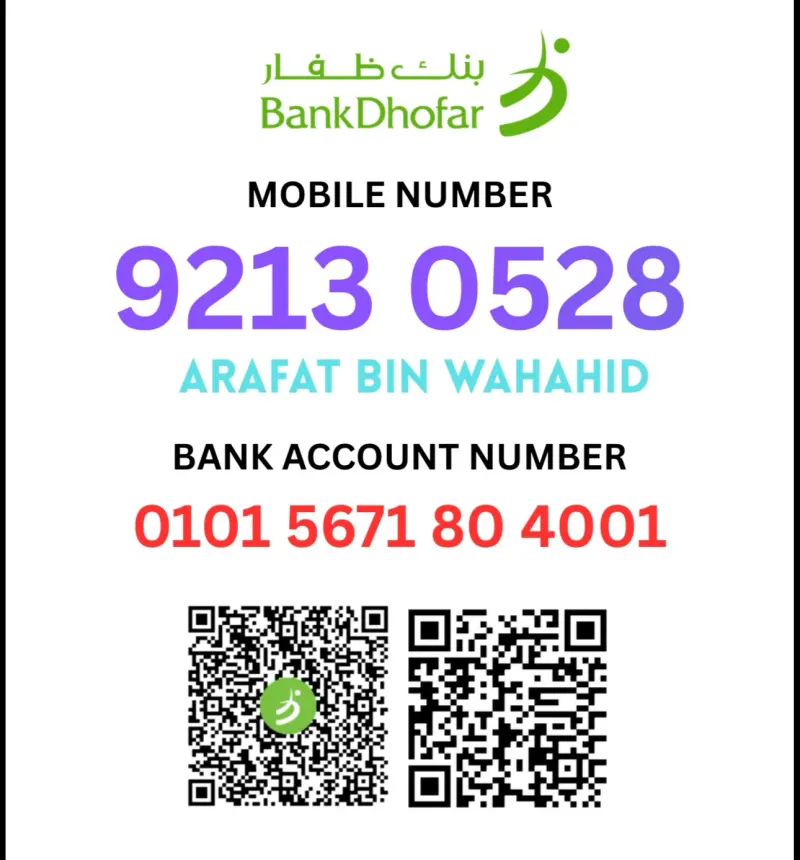
3. Pay and confirm: Bank Transfer (OMR)
Transfer the order total to the bank account below.
Payment details
- Bank name
- Bank Dhofar
- Account holder
- Arafat Bin Wahahid
- Account number
- 0101 5671 80 4001
- IBAN
- OM10 0250 0001 0156 7180 400
How to pay
- Copy the account details above.
- Transfer the exact order total in OMR from your bank app.
- Write your order ID in the transfer note.
- Fill in the form below and send it.
Sending this form does not mark your order as paid. We check every payment by hand, then confirm your order by email or WhatsApp.
3. Pay and confirm: Transfer Money (OMR)
Send the order total with a money transfer service.
Payment details
- Service
- Transfer Money
- Receiver name
- Arafat Bin Wahahid
- Receiver mobile
- +968 92130528
How to pay
- Open Bank Dhofar App/ Bank Muscat And any other banking app
- Go to transfer section- then Mobile Payment- Mobile number.
- Copy my mobile number- past number and check the name is correct
- Type amount and confirm- Back to website fill in the filled with correct information
- Any problem please chat us and massage on WhatsApp with 1/2 minutes instant reply
Sending this form does not mark your order as paid. We check every payment by hand, then confirm your order by email or WhatsApp.
3. Pay and confirm: Face to Face (OMR)
Meet in person and pay in cash. Choose a date and time and we will confirm it.
Location
Rakhyut (224), Dhofar Governorate, Salalah, Oman
How to pay
- Choose a date and time that suits you.
- Send the form. We will confirm on WhatsApp.
- Bring the exact amount in OMR to the meeting.
Sending this form does not mark your order as paid. We check every payment by hand, then confirm your order by email or WhatsApp.
3. Pay and confirm: PayPal (USD)
Pay the order total in USD with PayPal.
Pay now with PayPal or card
Pay with your PayPal account or any debit or credit card. After you pay, your order is sent to us automatically.
PayPal could not load right now. Please try again later, or message us on WhatsApp to pay. WhatsApp
3. Pay and confirm: RedotPay (USD)
Pay the order total in USD with RedotPay.
Some payment details are not listed here yet. Message us on WhatsApp and we will send them. WhatsApp
How to pay
- Open RedotPay with the button above, or send to the RedotPay ID.
- Pay the exact order total in USD.
- Write your order ID in the note.
- Fill in the form below and send it.
Sending this form does not mark your order as paid. We check every payment by hand, then confirm your order by email or WhatsApp.
3. Pay and confirm: Bank Transfer (BDT)
Transfer the order total to the Bangladeshi bank account below.
Payment details
- Account holder
- Arafat Bin Wahahid
Some payment details are not listed here yet. Message us on WhatsApp and we will send them. WhatsApp
How to pay
- Copy the account details above.
- Transfer the exact order total in BDT.
- Write your order ID in the transfer note.
- Fill in the form below and send it.
Sending this form does not mark your order as paid. We check every payment by hand, then confirm your order by email or WhatsApp.
3. Pay and confirm: Send Money (BDT)
Send the order total with mobile banking.
Some payment details are not listed here yet. Message us on WhatsApp and we will send them. WhatsApp
How to pay
- Open your mobile banking app and choose Send Money.
- Send the exact order total in BDT to the number above.
- Keep the transaction ID.
- Fill in the form below and send it.
Sending this form does not mark your order as paid. We check every payment by hand, then confirm your order by email or WhatsApp.
3. Pay and confirm: Face to Face (BDT)
Meet in person in Bangladesh and pay in cash. Choose a date and time and we will confirm it.
Some payment details are not listed here yet. Message us on WhatsApp and we will send them. WhatsApp
How to pay
- Choose a date and time that suits you.
- Send the form. We will confirm on WhatsApp.
- Bring the exact amount in BDT to the meeting.
Sending this form does not mark your order as paid. We check every payment by hand, then confirm your order by email or WhatsApp.